
A Parent's Guide to Digital Citizenship for Kids
It’s time to move past the screen time debate. Real digital citizenship for kids is about raising capable, kind, and safe creators, not just managing passive consumption. Instead of falling back on the legacy school model of worksheets and rules, we can give our kids the agency to build, solve problems, and participate responsibly in the digital world.
This guide gives you practical ways to start building those skills tonight.
What Is Digital Citizenship and Why It Matters Now
Many parenting guides see the internet as a threat to be managed with strict rules. This fear-based approach treats kids like passive consumers who can't be trusted and prepares them for a world that no longer exists.
Instead of just listing what they shouldn't do, our job is to give them a sense of agency. We need to shift from talking about restrictions to building real-world skills.
Think of digital citizenship as a toolkit that helps children navigate online spaces with confidence. It's about teaching them to:
- Think critically about the information they see.
- Communicate with respect and empathy.
- Protect their own privacy and personal information.
- Create and share things ethically and responsibly.
These aren't just "online" skills; they are life skills for a generation whose digital and physical lives are intertwined. As technology evolves, especially with AI, so does our definition of being a good digital citizen. It’s no longer enough to know how to use a tool safely; kids now need to understand how to use technology for positive change. You can dive deeper into how education is adapting to this new reality.
The old model of controlling consumption is failing. It’s time to empower active digital citizens.
From Passive User to Active Digital Citizen
This table breaks down the shift from a fear-based approach to a modern, agency-first model.
| Focus Area | Passive User Model (The Enemy) | Active Citizen Model (Agency-First) |
|---|---|---|
| Primary Goal | Minimize screen time and block threats. | Build skills and ethical judgment. |
| Child's Role | A consumer to be protected. | A creator and participant to be guided. |
| Parent's Role | The rule-enforcer and monitor. | The coach and mentor. |
| Key Conversation | "What did you look at online?" | "What did you create or solve online?" |
| Outcome | Fear and rule-following (or breaking). | Confidence, resilience, and responsibility. |
By focusing on these proactive skills, we help our kids graduate from being simple users of technology to becoming thoughtful architects of their own digital lives.
The Five Pillars of Digital Citizenship
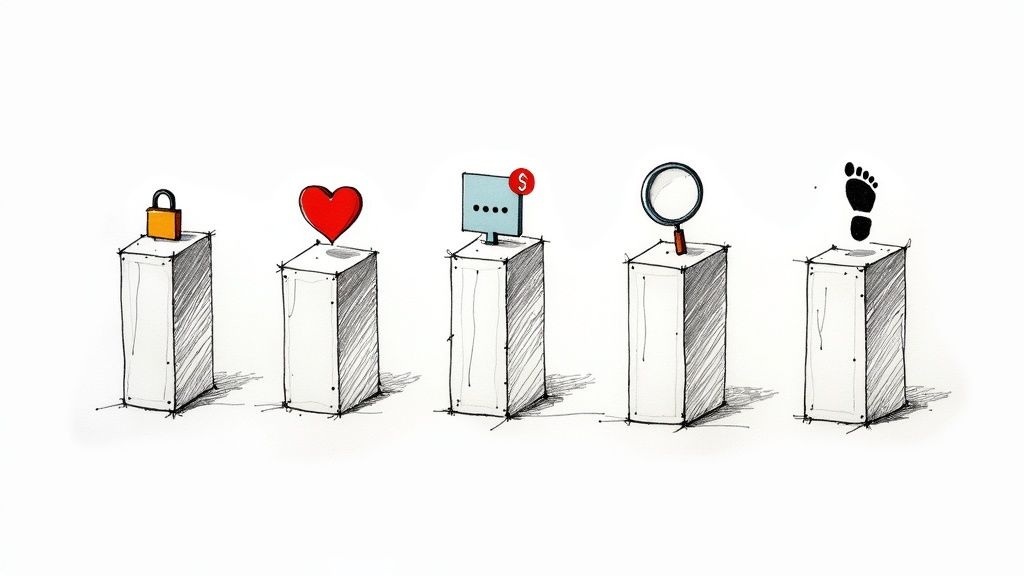
Talking about digital citizenship for kids can feel overwhelming. The secret is to break it down into five simple pillars. Think of these as a roadmap for the ongoing conversations you'll have with your child—turning abstract concepts into practical discussions you can start tonight.
1. Online Safety and Security
This is the foundation: protecting personal information and learning to spot online dangers.
- What it is: Using strong passwords, understanding privacy settings, and not sharing personal details with strangers. It also means developing a sense for scams.
- Parent Script: "Let's pretend we're secret agents and need a secret code (a password) for our favorite game. What would make a code really hard for bad guys to guess but easy for us to remember?"
For a deeper dive, our complete guide to online safety for kids is packed with more strategies.
2. Digital Communication and Empathy
How we talk to each other online matters. This pillar is about being kind and respectful, even when you can't see the other person's face.
- What it is: Remembering there’s a real human on the other side of the screen. This means disagreeing without being disagreeable and refusing to participate in cyberbullying.
- Parent Script: "Remember when you sent that funny cat emoji to Grandma? How do emojis help us show people how we're feeling when we’re just typing?"
3. Media and Information Literacy
The internet is the world's biggest library, but not everything in it is true. This pillar is about teaching your child to be a critical thinker. It's about asking questions like, "Who made this and why?" or "How can we double-check if this is true?" before sharing. Being able to question what you see online is a modern-day superpower.
4. Digital Footprint and Identity
Everything we post, share, or "like" online creates a trail. This pillar helps children understand that their online actions are often permanent.
- What it is: Realizing that a goofy photo or angry comment shared today could be seen by others years from now. It’s about learning to think before you post and intentionally building a positive online presence.
- Parent Script: "If our family had an online photo album for the world to see, what kind of pictures would we want to put in it to show who we are?"
5. Digital Health and Wellness
Being a good digital citizen means being good to yourself. This pillar is about creating a healthy balance between life online and offline. It’s about setting boundaries and knowing when to put the device down and go outside. It’s the art of using technology without letting it use you.
Your First Digital Citizenship Project

Real understanding comes from doing. This simple project gives your child a chance to practice digital citizenship for kids in a tangible way by making a positive mark online.
Let's launch a mini "Kindness Campaign." The goal is to create one shareable thing—a graphic, a short video, or a thoughtful comment—to post on a family-approved site. This project makes the big idea of online empathy real.
How to Start Tonight
- Interest: "Because you love sharing funny videos with your cousins..."
- Skill: Communication, specifically how to spread kindness online.
- Output: A 15-second video message or a digital card with a positive note.
This simple exercise turns your child from a passive consumer into an active creator with agency.
Project Steps
Time: 20 min • Materials: Phone or tablet with a simple design app (like Canva) or video recorder • Safety: Share through a parent's account to a pre-approved, private group (like a family chat). • No-kit option: Draw the kindness message on paper and snap a photo.
- Brainstorm (5 mins): Ask, "Who in our family or friends could use a happy message today?"
- Draft a Message (5 mins): Help them write one or two sentences, like "Thinking of you!"
- Create It (10 mins): Let them record a quick video or design a simple graphic. Encourage them to use their favorite colors or emojis.
- Share with an Adult First: Have them share the final piece with you before it gets sent.
Parent Scripts
- "Show me v1 → what will you change in v2?"
- "I love how you chose those bright colors. It makes the message feel so happy."
Kubrio in This Context
If you like project-based learning but want it doable at home, Kubrio handles the planning and feedback so you can focus on building and reflecting together.
Navigating the Digital Divide with Empathy
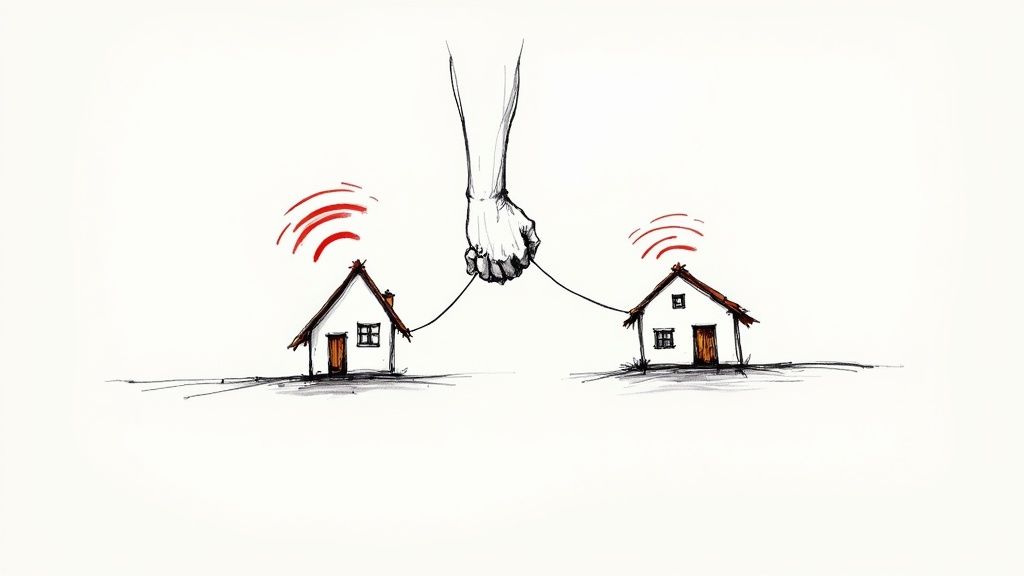
A key piece of raising a good digital citizen is helping them see that not everyone's online world looks like theirs. This gap, the digital divide, is a chance to teach empathy.
In many homes, fast Wi-Fi and multiple devices are normal. For others, the internet is slow or unavailable. This is a real barrier to learning and connection. Helping your child see this shifts their perspective from "everyone has what I have" to "how can we make sure everyone can join in?"
Why Access Isn't Universal
The digital divide is a global issue. As recently as 2019, two out of every three children worldwide had no internet access at home. While things are improving, the gap remains massive. This limits a child's ability to build critical skills. If you want to see the full picture, you can learn more about the global digital age findings from UNESCO.
When kids grasp this, they start to act more thoughtfully online.
Starting the Conversation About Empathy
You don't need a formal lecture. Start with simple, relatable questions.
Parent Script: “Hey, what if our friend couldn’t join our online game because their internet kept cutting out? What could we do to make sure they still feel included?”
Here are a few more conversation starters:
- For Gaming: "Could we pick a game that doesn't need a super-fast connection so everyone can play?"
- For Creating: "When we make our video, how can we add captions so someone who can't hear the sound can still enjoy it?"
- For Connecting: "If a friend doesn't have a phone, what's another way we could share our project with them?"
These small prompts turn awareness into kind actions—the true hallmark of a great digital citizen.
How to Build a Family Tech Plan That Works
A family tech plan isn't a list of rigid rules. Think of it as a living agreement you build with your child. When kids have a voice in setting boundaries, they are far more likely to respect them. The goal is to build a shared framework for making smart, independent choices.
This plan should grow and adapt as your child matures and shows more agency.
Key Areas for Your Agreement
A solid plan covers four main areas, giving everyone clarity and a reliable safety net.
- Device-Free Zones and Times: Together, decide on places (like the dinner table) and times (like after 8 p.m.) where screens are put away. This helps everyone disconnect and be present.
- Online Communication Guidelines: Agree on simple rules like "only connect with people we know in real life" and "if you wouldn't say it to their face, don't type it."
- A Plan for When Things Go Wrong: Rehearse what to do if they see something scary or get a mean message. The most important rule: "Tell a trusted adult immediately, and you will not get in trouble." This is a non-negotiable promise.
- Earning New Privileges: Frame access to new apps or games as something earned through showing responsibility, not as an automatic right.
Parent Script: “Let’s design our family’s tech rules together. What do you think is a fair amount of screen time on a school day? I want to hear your ideas first.”
Making the Plan Real
A plan on paper is meaningless if it's not part of your daily lives. Block out 30 minutes for a family meeting where everyone gets a say.
Setting up the right guardrails is also key. Implementing effective parental controls is a cornerstone of any family tech plan. If you're looking for budget-friendly options, this guide offers insights into setting up parental controls on refurbished iPhones.
Start your conversation with this simple template. Talk through each point—the "why" is where the real learning happens.
Family Tech Plan Template
| Agreement Area | Our Family Rule | Why It's Important |
|---|---|---|
| Screen-Free Times | No screens after 8:30 PM on school nights. | To help our brains wind down for better sleep. |
| Screen-Free Zones | No devices at the dinner table. | So we can connect as a family. |
| Online Safety | Never share our home address or full name online. | To protect our family’s privacy and safety. |
| Digital Kindness | Only post comments we would say in person. | Because our words have power, even online. |
| Asking for Help | Immediately tell a parent if something feels weird or scary. | So we can solve any problem together. |
Building this plan together gives your child a stake in their own digital safety and well-being. You’re not just making rules; you’re raising a high-agency digital citizen.
Kubrio is a family-driven learning platform that uses AI to turn your child’s interests into step-by-step quests with feedback and a living portfolio.
The Global Movement for Digital Citizenship
Teaching digital citizenship for kids at home can feel isolating, but you’re not alone.
The conversations in your living room are part of a massive, global effort. Organizations and governments worldwide now see these skills as a fundamental part of modern education. They understand that equipping the next generation to be responsible online creators is essential for a safer future.
A Worldwide Commitment to Digital Skills
This movement is gaining momentum. Take the Council of Europe, which designated 2025 as the European Year of Digital Citizenship Education (EYDCE). This is a continent-wide commitment to helping kids develop the skills to participate actively and responsibly online. The initiative reinforces that these are foundational skills, just like reading or math. You can learn more about this forward-thinking policy.
Understanding this context is empowering. Your family's efforts are part of a critical, global movement to prepare kids for the world they will inherit. When you teach your child to spot misinformation, you’re connecting your family to a much larger mission.
The Big Questions Parents Ask
As you navigate this world with your kids, questions will pop up. Here are answers to the most common ones.
When should I start talking about digital citizenship?
The moment a screen enters their life. For toddlers, it's about modeling healthy habits. For kids ages 6–9, you can introduce foundational ideas like being kind online and never sharing personal information. For pre-teens (10–13), the conversations get deeper, covering topics like cyberbullying, misinformation, and their digital footprint. Keep the dialogue ongoing and age-appropriate.
How do I handle it when they make a mistake online?
First, take a breath. They will make mistakes. How you react matters most. Treat every mistake as a teaching moment, not a reason for punishment. Create a home where they know they can come to you without fear of losing their devices. Frame the mistake as a problem to solve together. This builds trust and resilience, ensuring they will come to you when the stakes are higher.
Parent Script: "Thank you for trusting me enough to tell me. Let's figure this out together. What do you think you'd do differently next time?"
What is the single most important skill to teach?
Critical thinking. It's the superpower in a world overflowing with information. The ability to pause and question what they're seeing keeps them safe and helps them think for themselves. It empowers them to spot misinformation and navigate the internet with intelligence. You can build this skill by asking simple questions together: "Who do you think made this, and why?" or "How could we find out if this is true?"