
How Much Screen Time for Kids: A Practical Guide for Parents
Figuring out the "right" amount of screen time can feel like a moving target. While you might hear numbers like 1-2 hours of entertainment screen time per day for kids aged 6-13, the real answer is more about quality than minutes on a clock.
The goal isn't to obsessively watch the clock. It's to shift your child's screen time from passive consumption to active, skill-building creation.
The Question That Changes Everything
Worrying over minutes is exhausting. It frames screen time as a battle to win rather than an opportunity to shape. The real enemy isn't the screen; it's the passive, one-size-fits-all "learning" that keeps kids occupied but doesn't help them produce anything new.
So, instead of just asking, "how much time?" a better question is: "What is my child doing, making, and learning during their screen time?"
This simple shift changes your role. You go from timekeeper to a guide who helps your child navigate the digital world with purpose. It’s about prioritizing activities that build agency over those that just soak up attention.
From Passive Watching to Active Building
The core difference is simple: what artifact does your child have to show for their time? Are they passively consuming videos, or are they following a tutorial to code their first game? Are they mindlessly tapping on an app, or are they designing a 3D model?
This distinction is critical. Some screen time statistics show kids aged 8-10 average a shocking 6 hours of screen time daily, not counting schoolwork. For pre-teens (11-14), it can be 9 hours per day.
These numbers show the urgency of making that time count for creating, not just consuming.
Why Quality Over Quantity Is the Only Metric That Matters
When you focus on quality, you can stop feeling anxious about the clock. Active, creative screen time builds the skills your child will need for an AI-shaped future.
- Problem-Solving: Figuring out why code isn't working or how to build a complex structure in a game.
- Creativity: Composing music, editing a short film, or designing a digital comic.
- Grit: Pushing through a frustrating part of a project instead of switching to another video.
By changing the question from "how much" to "what kind," you change the dynamic. The goal becomes intentional, skill-building engagement. This approach helps your child become a creator with high agency, not just a consumer.
Why All Screen Time Is Not Created Equal
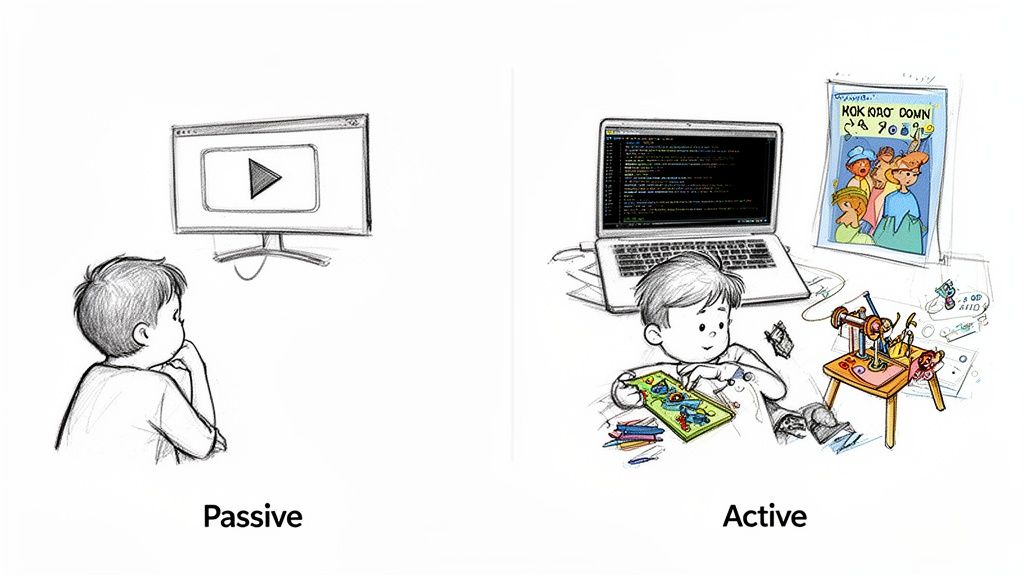
Think about the difference between your child watching a cooking show and actually baking a cake. One is passive viewing; the other involves measuring, problem-solving, and ends with a real result.
This is the critical difference between passive consumption and active creation.
Passive consumption is the endless, algorithm-fueled scroll. It asks for nothing but attention and leaves your child with nothing to show for it.
Active creation is a launchpad. It’s where kids use screens as a tool to bring ideas to life. This is the kind of engagement that builds agency.
The Hidden Cost of Passive Consumption
When parents worry about screens, they're almost always talking about excessive passive screen time. When hours are spent consuming content without interaction, it can affect a child’s well-being. This is where the concern over how much screen time for kids comes from.
Recent CDC data shows a link between heavy, passive screen use and increased anxiety and depression in 50.4% of heavy users, along with disrupted sleep and lower grades. For kids aged 6-13, these are critical years for building foundational skills. You can read more about these findings from the CDC and what they mean for families.
This is why focusing on the clock misses the picture. Two hours watching random videos is worlds apart from two hours designing a game level. We explore this more in our guide on why screen time isn’t the enemy when you make it count for learning.
How to Spot High-Agency Screen Time
How can you tell if an activity promotes active creation? Look for opportunities for your child to make choices, solve problems, and produce something unique.
Shifting from a screen time limit to a screen time purpose is the most powerful change a parent can make. It transforms the conversation from "time's up" to "show me what you made."
Use this checklist to see if a digital activity makes the cut. Does it allow your child to:
- Create Something New? Like digital art, a line of code, a short story, or a custom world.
- Solve a Complex Problem? Does it demand strategy, logic, or critical thinking?
- Collaborate with Others? Can kids work together on a common goal?
- Receive Meaningful Feedback? Does it encourage them to try again and refine their work (v1 → v2)?
This framework helps you guide your child toward activities that build skills like grit and creativity, turning screen time into a tool for growth.
Setting Screen Time Rules That Actually Work
Knowing the difference between active and passive screen time is the first step. The next is creating a family plan that sticks.
The goal isn't a rigid mandate. It’s a shared agreement that protects family connection, sleep, and offline play. The key is consistency. When rules are predictable, kids feel secure and are less likely to push back.
Co-Create a Family Tech Agreement
This is a game-changer, especially for kids aged 8-13. When you involve them in the rule-making process, it becomes a collaborative pact. They get a sense of agency, which builds self-regulation skills.
Sit down together and map out a one-page "Family Tech Agreement." Post it on the fridge.
Your agreement could include:
- Tech-Free Zones: The dinner table and bedrooms are powerful choices.
- Tech-Free Times: A great rule is "no screens for the first hour of the day and the last hour before bed."
- The "Ask First" Rule: Before downloading a new app, they have to ask.
- Consequences and Rewards: Agree on what happens when rules are broken.
This process teaches negotiation, responsibility, and self-control.
Parent Scripts for Common Pushback
When you introduce new limits, expect some pushback. Having calm, consistent responses ready can de-escalate drama.
- When they say, "I'm bored!"
- Try: "Boredom is where creativity starts. Let's look at our project idea list. Do you want to try the fort-building challenge or the stop-motion video?"
- When they say, "But all my friends get to..."
- Try: "I hear you. In our family, we've agreed to protect our time for talking and playing together."
- When they say, "Just five more minutes!"
- Try: "Our agreement was 30 minutes, and the timer just went off. Let's stick to our plan. What do you want to do offline?"
Your consistency is your best friend. The more you hold the line calmly, the quicker the pushback fades.
How to Turn Interests Into Skill-Building Projects
Shifting from passive consumption to active creation starts by seeing the spark in your child's current obsession—Minecraft, comics, goofy videos—as raw material for building real skills.
This is about turning screen time into a project with a purpose. You don't need a formal curriculum. You just need a simple recipe to transform curiosity into a hands-on learning experience.
The Six-Step Recipe for Agency
This process works for nearly any interest. It provides just enough structure to keep things moving without killing the creative spark. The goal is always to produce a tangible artifact.
- Start with the Interest: "Because you love Minecraft..."
- Name the Skill: Connect their interest to a core skill like creativity or communication.
- Add a Constraint: Set a time box (10, 20, or 45 minutes), define materials, and note any safety rules.
- Draft Simple Steps: Outline 3–5 clear, action-oriented steps.
- Give Meaningful Feedback: Ask questions that encourage iteration. "Show me v1. What will you change for v2?"
- Share and Reflect: Create a moment to share their work and ask questions to lock in the learning.
This six-step flow transforms screen time from an endless loop into a project with a beginning, a middle, and a proud finish.
A Real-World Example: Design a Minecraft Mob
Let’s put this recipe into action with a common interest for kids aged 6–13. This example shows how a simple idea can become a skill-building quest.
1. The Spark (Interest)
- Because you love playing Minecraft and know all the different mobs.
2. The Target Skill
- Creativity: We're going to design a completely new creature.
3. The Constraints
- Time: 45 min • Materials: Paper, markers, or a drawing app • Safety: None needed • No-kit option: Use a pencil and any paper.
4. The Steps
- Brainstorm (10 min): List three things your mob can do and what it eats.
- Sketch v1 (15 min): Draw your mob. Label its parts and give it a name.
- Get Feedback (5 min): Show your sketch to someone and explain its powers.
- Create v2 (15 min): Redraw your mob, adding a new detail based on the feedback.
5. The Feedback Prompts
- “I love how you made it glow! What was the hardest part to draw?”
- “Show me your favorite mistake and what it taught you.”
6. Share and Reflect
- Share: Take a photo of the final drawing and send it to a friend.
- Reflect: Ask, "What changed between v1 and v2?" and "Which step took the most effort?"
This turns 45 minutes of potential scrolling into a project with a finished artifact. Kubrio is a family-driven learning platform that uses AI to turn your child’s interests into step-by-step quests with feedback and a living portfolio.
When Does Screen Time Become a Problem?
Focusing on quality screen time is a positive approach. But it’s still smart to know when your child's screen use might be creeping into an unhealthy habit. This isn’t about creating anxiety; it’s about having the clarity to step in if you need to.
Look for consistent patterns, not just one rough day. Think of it as a check-in on your family’s digital health.
A Simple Gut-Check List
Use these points as a gentle guide. This isn't a diagnostic tool, just a way to build awareness. Ask yourself if your child has shown several of these signs consistently.
- Big Mood Swings: Do they get unusually irritable, anxious, or angry when it’s time to switch off a device?
- Losing Interest in "Real Life": Have they dropped activities they used to love, like LEGOs, drawing, or playing outside?
- Trouble with Sleep: Is it a battle to get them to fall asleep, or are they often tired?
- School Performance Slipping: Are you noticing a dip in grades or hearing from teachers that they seem distracted?
- Choosing Screens Over People: Do they consistently pick screen time over hanging out with family or friends?
Noticing a few of these doesn't mean you've failed. It's just a signal to pause, reassess, and tweak your family's approach.
What to Do First
If some of those points sound familiar, don’t panic. Small changes can make a huge difference.
Start with these simple actions:
- Revisit Your Family Plan: Sit down together and have a calm chat. Maybe the rules need a refresh.
- Schedule Unplugged Family Time: Be intentional. Plan one or two activities every week where everyone puts their screens away.
- Check in on Their Physical Health: If you're noticing complaints about eye strain, it’s always a good idea to schedule regular kids eye tests.
The numbers drive home why this matters. Research shows that by ages 8-10, screen time averages 6 hours a day, and it jumps to 9 hours for 11- to 14-year-olds. This breakdown of screen time statistics highlights how quickly these habits can become challenging. By catching the signs early, you can guide your child back toward a healthier balance.
FAQ: How Much Screen Time For Kids
Let's tackle some common hurdles parents face. These quick answers reinforce the big idea: moving kids from passive consumption to active, digital creation.
Are video games automatically bad screen time?
Not at all. A game that demands strategic thinking, creative building (like Minecraft), or collaboration can be a great learning tool. The goal is to lean into games that require problem-solving over passive entertainment and frame playtime with clear limits.
How do I stick to our rules when my kid's friends have none?
This is a tough one, but it’s a chance to talk about your family's values. Acknowledge that every family does things differently. Calmly explain the why behind your approach: "In our family, we've decided to protect our time for talking, playing, and just being together."
What if my child needs a screen for schoolwork?
Educational screen time is in a different category from entertainment. Set up a specific, distraction-free zone for homework. Use parental controls to block access to games and social media during study time. Once homework is done, encourage an offline break before any entertainment screens.
Can YouTube be good screen time?
Yes, but you have to be intentional. Left to the algorithm, it will pull your child into a rabbit hole of passive content. Subscribe to channels that teach a skill—a coding tutorial, a science experiment, or a guided art lesson. Watch together and use a video as the starting point for a hands-on project.