
What's good screen time for kids?
Good screen time isn't defined by the clock — it's defined by what the time produces. The useful shift isn't consumption down to zero, it's consumption toward creation: time spent scrolling a feed or watching autoplay video versus time spent making a real thing a kid keeps. The fastest audit is one question — does your kid walk away with something, or just a dopamine dip and a request for five more minutes? Kubrio is built as creation time by design: no feed, no ads, no infinite scroll, and every session works toward a real artifact — a film, a game, a comic — not just a session length.
Good screen time for kids isn't a number of minutes — it's a question of what the time produces. Scrolling a feed, watching autoplay video, or playing a game built to keep a kid tapping is different in kind from making a film, writing a story, or building something a kid can hold up afterward and say "I made that" — even when the clock reads the same forty-five minutes.
That distinction matters more than the debate it usually gets buried under. Most screen-time advice fixates on the dial: two hours, ninety minutes, an hour on weekdays. But two kids can log the identical number of minutes and have completely different afternoons — one drained and irritable after a feed kept surfacing the next video, the other tired but proud after finishing a comic issue with their name on it. The clock can't tell you which kid you're looking at. Only the kind of time can.
The real split: consumption time vs. creation time
Nearly everything a kid does on a screen falls into one of two buckets.
Consumption time is time spent taking in something someone else made: a video feed, an autoplay queue, a game engineered to maximize how long a kid stays. None of this is evil by design — a good documentary or a genuinely fun game is a fine way to spend an evening. But the mechanics of a feed are built for one goal: keep the session going. There's always a next video, a next level, a next notification. The kid's job is to keep receiving.
Creation time flips the job. The kid produces something — a drawing, a story, a piece of research, a recording — and the screen helps that thing get made and finished. When the session ends, there's a real object left behind: a file, a page, a portfolio entry.
Both are technically "screen time." The mix matters more than the total. Shifting an hour from a feed toward something a kid actually builds is a bigger lever than shaving twenty minutes off the total clock. That's the honest, useful version of "good screen time" — not a smaller number, but a better mix.
The audit test: does your kid walk away with something?
Here's a test any parent can run tonight, on any app already on the device, without installing anything new:
When the screen goes dark, does your kid have a real thing to show — or just a feeling that time passed?
A few concrete markers to look for:
- Artifact or afterglow. Did something get made — a drawing, a written piece, a recording, a finished level they built rather than just cleared — or is there nothing left but the urge to open it again?
- A stopping point or a bottomless scroll. Does the app have a natural end — a finished episode, a completed project — or does it hand your kid the next thing automatically, forever?
- Whose hand did the work. Did your kid make the decision, draw the line, write the sentence — or did the app generate it and your kid just watched it appear?
- Mood after, not during. Almost anything feels good in the moment. The tell is the ten minutes after the screen closes: proud and talking about what they made, or restless and asking for more?
None of these questions requires judging a specific app as good or bad in the abstract. They tell you, for the app your kid actually uses, which bucket that session falls into.
Kubrio Worlds · Ages 6–12
Let your kid explore the new worlds.
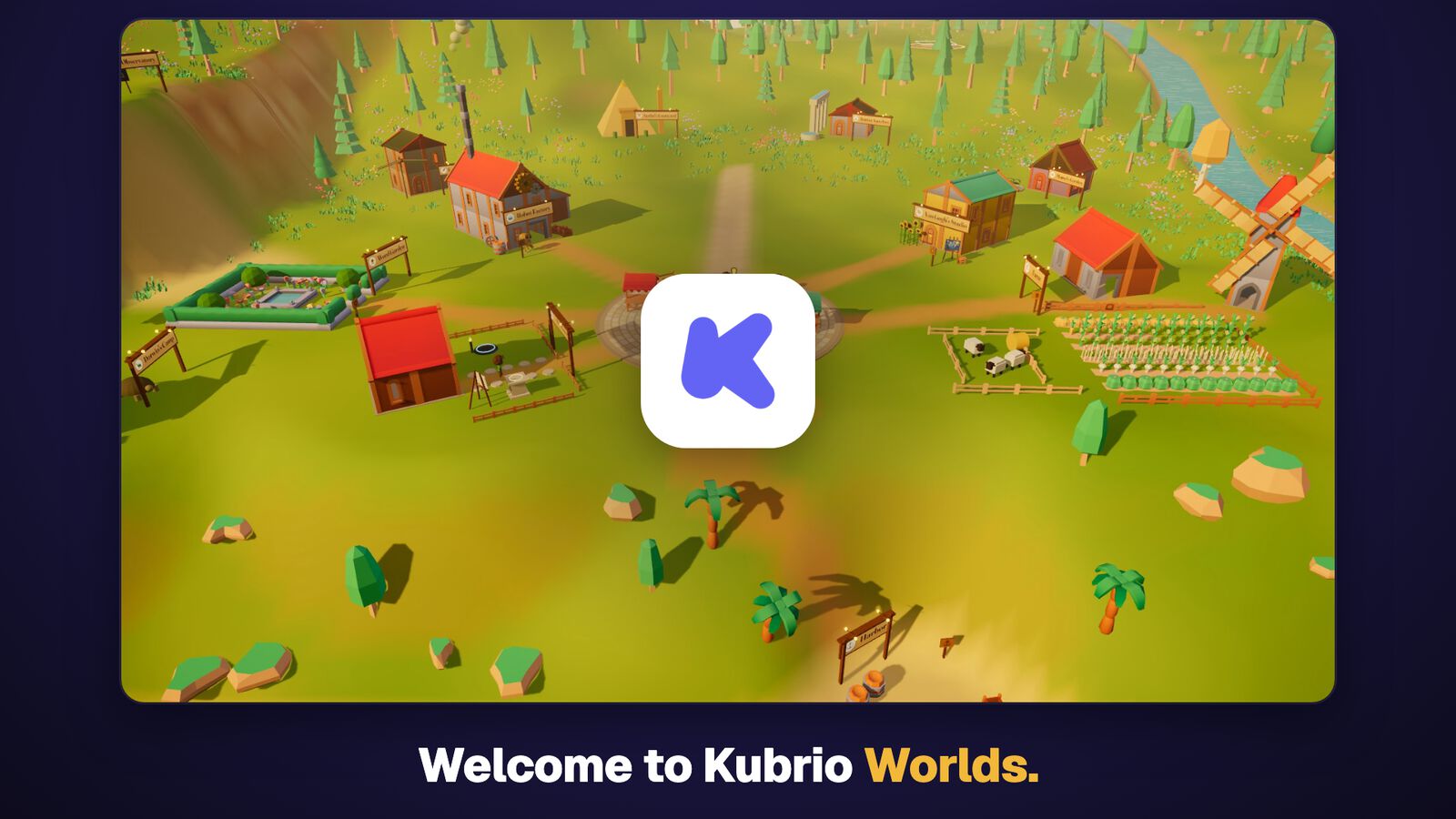
A 3D village where kids paint with Vincent van Gogh, launch rockets, and run a farm. Every world teaches something useful, with quizzes and things to make. You set the screen time.
3 days free, then $49 $19 a month per kid.
 ▶ 1:45 tour
To be fair: not all consumption is bad, and this isn't about zero
It's worth saying plainly: consumption isn't the enemy, and the goal isn't zero. Watching a great film together, following a tutorial, texting a friend about a shared game — none of that needs defending. Kids have always spent time taking in stories and ideas other people made. The problem isn't consumption existing; it's a media diet that's almost entirely consumption. The fix isn't less screen — it's more of the other kind on the same screen.
Kubrio is built as creation time, on purpose
Every Kubrio studio is built so the session works toward one thing: a real artifact your kid makes and keeps, not a stream that keeps playing. There's no feed, no ads, and no infinite scroll anywhere in Kubrio — not a marketing line, but an actual design constraint.
Here's what that looks like for a real kid:
- In the Animation Studio, your kid draws a character on paper, tells the story, fixes the storyboard, and chooses the sound, and the studio shoots the scenes. What's left afterward is a film that stars your kid's own drawing.
- In Game Studio, your kid draws the hero and the villain, picks their powers, and lays out the rooms of an escape game other kids can play.
- In Comic Studio, your kid picks a message and draws the opening, the middle, and the ending of a comic on paper, and the AI builds the other pages around those drawings. Your kid rewrites any speech bubble, and the finished comic publishes with their name on the cover.
The same pattern holds in every studio: the kid decides, the AI clears the drudgery, and the session ends with something that lands in a portfolio at kubrio.com/made.
Be honest: it's still a screen
Kubrio doesn't pretend to be something other than a screen, and it isn't a replacement for outdoor play, unstructured boredom, or time with family — nothing here should crowd those out. What Kubrio honestly offers is a better use of the screen time that was going to happen anyway: creation instead of consumption, on the same device, for some of the same hours. That's a different claim than "less screen time," and it's the one that's actually true.
Your parent dashboard holds everything your kid has finished, and when something premieres, Claire emails you the link, so you're seeing the artifact, not a usage number on a settings screen.
Try the audit test tonight
Run the four questions above on whatever your kid already has open right now, Kubrio included. An app built for creation time passes all four. A feed will fail the first two by design — which isn't an accusation, it just tells you honestly what job that app is doing.
Frequently asked questions
What's good screen time for kids?
Good screen time is judged by kind, not minutes: whether the session produces something your kid made and kept, or was mostly consuming a feed or autoplay queue. The useful move is shifting the mix toward creation, not chasing a lower number on the clock.
Is screen time bad for kids?
Not inherently. The mechanics matter more than the medium — a feed engineered to maximize session length behaves very differently from an app that helps a kid finish a real project. Some consumption (a good film, a tutorial, texting a friend) is a normal part of a kid's week. The concern is a diet that's almost entirely passive.
How much screen time should my kid have?
There's no single number that fits every kid, which is why the how-much debate stalls out. A more useful question is what proportion of that time results in something made versus something consumed — shifting that ratio does more than trimming minutes off the total.
What are good alternatives to passive screen time?
Anything where your kid produces the outcome: drawing, building, writing, recording, researching. It doesn't have to be off-screen — an app built around finishing something can deliver the same active-making benefit a screen-free hobby does, because the mechanism that matters is creation, not the absence of a device.
Is Kubrio just more screen time?
Yes, honestly — it runs on a screen, and it isn't a substitute for outdoor play or family time. It's designed to be a better use of the screen time that was going to happen regardless: no feed, no ads, no infinite scroll, and every session works toward a real artifact your kid keeps.
How can I tell if an app is passive consumption or active creation?
Ask whether your kid makes the thing or watches the app make it, whether the session has a natural stopping point or an automatic next one, and whether there's a real artifact left behind.
Do "educational" apps automatically count as good screen time?
No. A drill-style app can be built on the same attention-holding mechanics as a game — streaks, rewards, an endless queue of the next question — even while marketed as learning. The kind test still applies: does your kid make something, or consume content labeled educational?
Does Kubrio replace outdoor play or unstructured time?
No, and it isn't trying to. Kubrio is one honest way to spend some of the screen time a kid already has. It doesn't stand in for running around, getting bored, or family time. --- Want to shift some of your kid's screen time from consumption to creation? Start your family account and see what they walk away with.
Kubrio Worlds · Ages 6–12
Let your kid explore the new worlds.
A 3D village where kids paint with Vincent van Gogh, launch rockets, and run a farm. Every world teaches something useful, with quizzes and things to make. You set the screen time.
3 days free, then $49 $19 a month per kid.
▶ 1:45 tour