
Robotics Studio · With Tek
How to code a robot
This course teaches your kid how to code a robot without a screen. A grown-up plays the robot and follows only your kid's paper command cards. Tek hosts four short films: robots do exactly what you say, writing a program, finding the bug, and the repeat card. Plan about 4 minutes of films and 30–45 minutes of play.
How to code a robot is part of Kubrio Learn: short courses that inspire kids to make things. Learn more
Watch all 4 lessons in the appWhat your kid makes
Your kid ends with a set of command cards, a few programs that work, one bug found and fixed, and a repeat card that makes a long program short. It's the same thinking behind every robot and every app: clear steps, in order, tested and fixed.
- Ages
- 6 to 13
- Time
- 4 films, about 4 minutes, then 30–45 minutes of play
- You need
- Paper or index cards, markers, painter's tape for a floor grid, or a paper grid and a toy, a teddy or any small toy, a grown-up to be the robot
- Host
- Tek
The 4 lessons
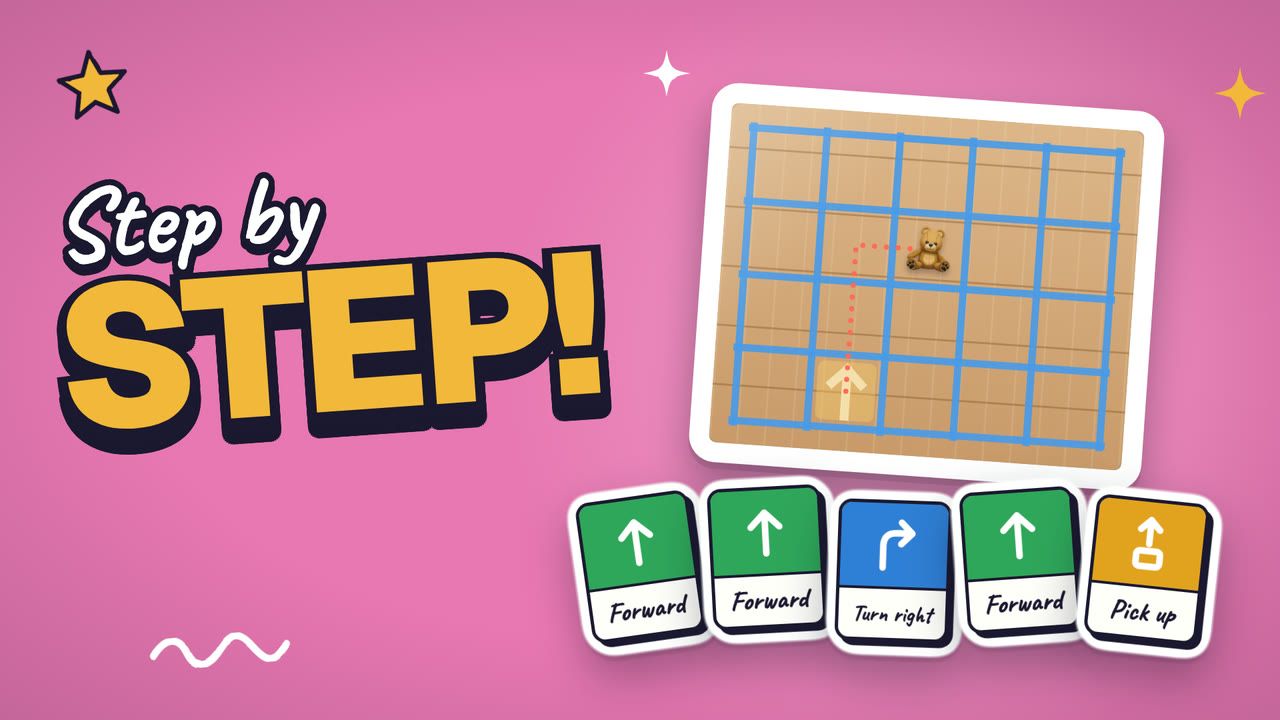
Lesson 1. Exactly what you say
A robot does exactly what you say, so it needs clear steps.
- Make five command cards: forward, turn left, turn right, pick up, drop
- Make a grid with tape on the floor, or draw one on paper
- Ask a grown-up to be your robot and follow only the cards
Where: At home
Lesson 2. Write a program
Cards in a row, in order, are a program.
- Put a teddy on one square of the grid
- Lay out your cards to plan the path
- Read the cards out loud, one at a time, while your robot goes
Where: At home
In the app
Lesson 3. Find the bug
A card that does the wrong thing is a bug, and fixing it is debugging.
- Ask your grown-up to sneak in one mixed-up card
- Run the program slowly and stop where the robot goes off the path
- Swap that one card and run it again
Where: At home
In the app
Lesson 4. The repeat card
One repeat card does the work of many cards.
- Draw a repeat card with a number on it
- Give your robot a long path
- Make the program short with repeats, then swap and be the robot
Where: At home
In the app
Lesson 1 transcript: Exactly what you say
Hi, I'm Tek. Today a grown-up turns into a robot. Your robot!
Robots do exactly what you say. Not what you mean. Exactly what you say.
Tell a robot to walk forward, and it walks. And walks. Right into the couch. Bonk!
So a robot needs clear steps. Make five command cards. Forward one step. Turn left. Turn right. Pick up. Drop.
Now make a grid. Tape squares on the floor, big enough for a foot. Or draw a grid on paper, and use a toy.
Robot rule! Your grown-up does only what the cards say. No guessing. No helping. Beep boop!
Your turn. Make five command cards. Make a grid. Ask a grown-up to be your robot. Then press Next.
Free guides to practise with
Questions parents ask
Does my kid need a robot or a coding app?
No. A grown-up plays the robot, and the program is a row of paper cards. The films show the ideas behind real coding: exact steps, order, bugs, and loops.
How much space do we need?
A small patch of floor for a grid of tape squares, each about a big step wide. A paper grid on the table with a toy as the robot works too.
How long does it take?
The four films take about 4 minutes. Making the cards and running a few programs takes about 30–45 minutes, and the role swap at the end is often the favorite part.